> ## Documentation Index
> Fetch the complete documentation index at: https://docs.cura.so/llms.txt
> Use this file to discover all available pages before exploring further.
# Knowledge settings
> Your Knowledge Base is everything Cura knows about your business — the documents and details your AI draws on to answer customers.
Your **Knowledge Base** is everything Cura knows about your business — the documents and details your AI draws on to answer customers. Knowledge settings are where you manage that material for each workspace.
By the end, you'll know where to find your Knowledge Base and how to keep it accurate for the workspace you're training.
## Before you begin
* You'll need **Admin** or **Manager** access to the workspace you're editing.
* Knowledge is **per-workspace** — make sure you're in the right one, especially if you run more than one location.
This article covers *where* knowledge settings live. For the full walkthrough on adding and managing content, see the dedicated guide below.
👉 [Build your Knowledge Base](/ai-agent/build-your-knowledge-base)
***
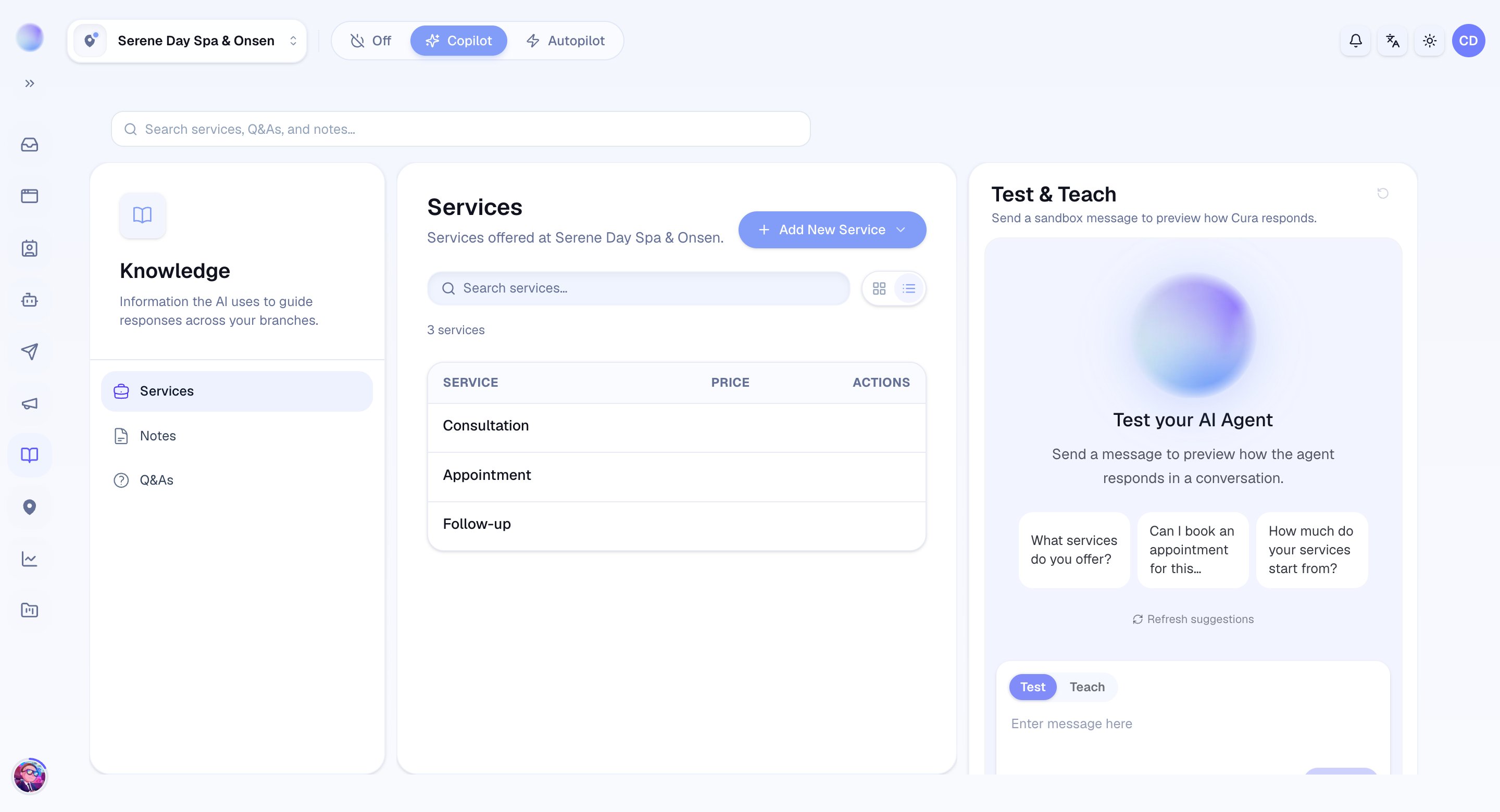
* Go to **Settings → Knowledge**.
* A badge next to the **Knowledge** heading shows which workspace you're viewing — confirm it's the right one, since each workspace has its own separate Knowledge Base.
* The **Entries** list shows the knowledge this workspace has — the material your AI uses to answer.
* Scan for anything out of date: old prices, retired services, or policies that have changed.
You can see exactly what your AI knows for this workspace.
* Use the **Create entry** form to add knowledge — give it a **Title**, the **Content**, and optional **Tags** — then click **Create** to fill gaps in the AI's answers.
* Keep entries focused: one clear topic per entry works better than one giant catch-all. Stale information can produce confident-but-wrong replies, so update entries when details change.
If the AI ever answers a common question imperfectly, the fastest fix is to add or correct the relevant knowledge — then test it with a message and confirm the new answer.
Your Knowledge Base is current for this workspace.
***
## Keeping each workspace separate
Because knowledge is per-workspace, a multi-location business trains each one on its own. That's a feature, not a chore — your Sukhumvit branch can quote different prices or hours from your Thonglor branch, and the AI always answers from the right one.
For the complete guide on uploading documents, adding FAQs, and adding Services and prices, head to:
👉 [Build your Knowledge Base](/ai-agent/build-your-knowledge-base)
 ***
### Related articles
* [Build your Knowledge Base](/ai-agent/build-your-knowledge-base)
* [Workspace settings (location, timezone, contact details)](/settings/workspace-settings)
* [Organization settings](/settings/organization-settings)
* [How your AI agent works](/ai-agent/how-your-ai-agent-works)
***
### Related articles
* [Build your Knowledge Base](/ai-agent/build-your-knowledge-base)
* [Workspace settings (location, timezone, contact details)](/settings/workspace-settings)
* [Organization settings](/settings/organization-settings)
* [How your AI agent works](/ai-agent/how-your-ai-agent-works)