Before you begin
- You’ll need to open Cura in a supported web browser on the device you want alerts on.
- Your browser will ask permission to show notifications — you’ll need to Allow it.
Cura uses web push notifications, which are delivered through your browser. You enable them per device, so turn them on for each phone, tablet, or computer you use to handle conversations.
1
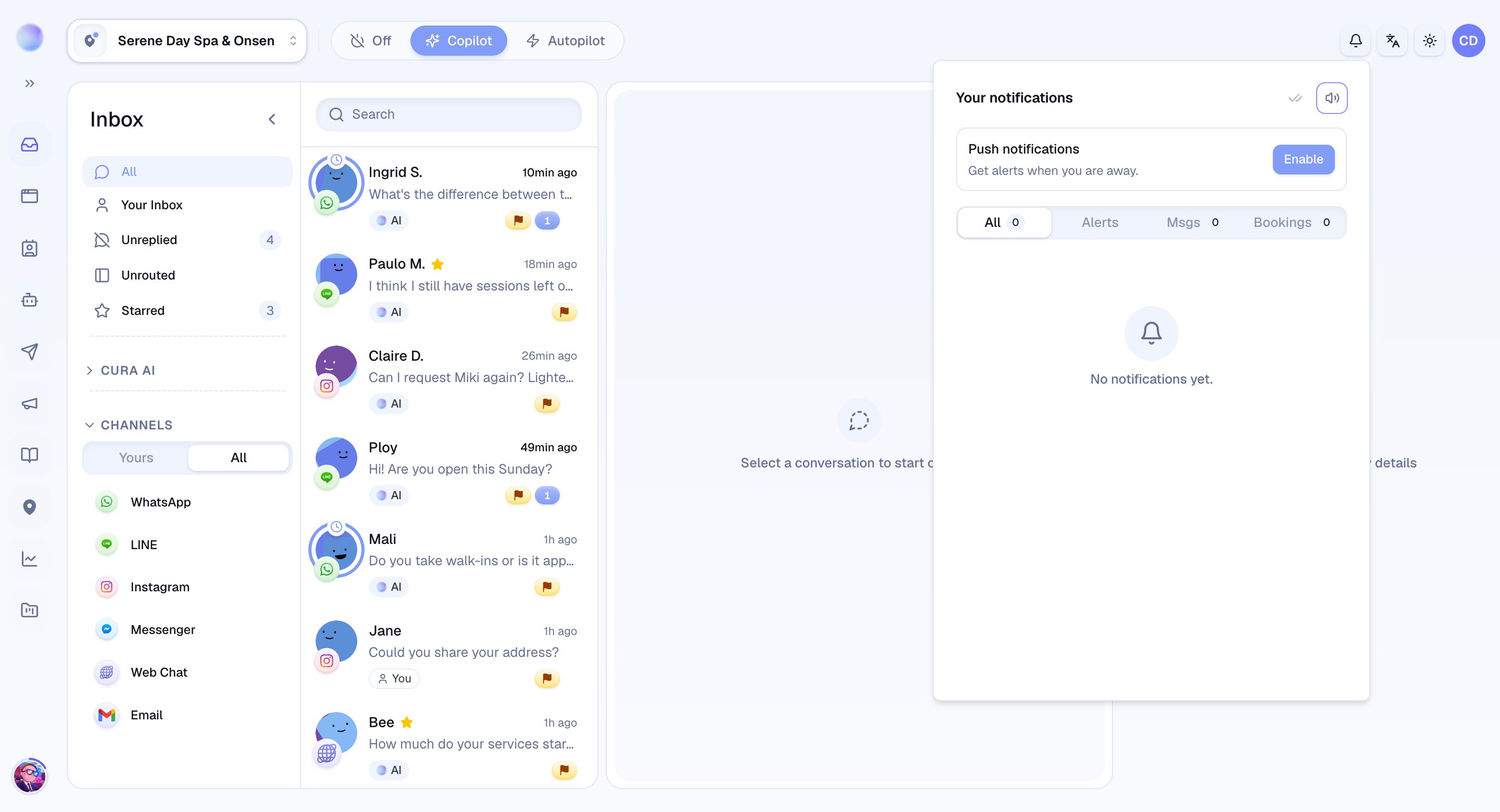
Open the notification bell
- Open Cura on the device you want to be alerted on.
- Click the notification bell in the top bar.
- At the top of the menu you’ll see a Push notifications row with an Enable button.
2
Enable push and allow your browser
- Click Enable.
- Your browser will show a permission prompt — choose Allow.
- This registers the device with Cura so alerts can reach it even when Cura isn’t the tab in front. The button now reads Disable, and the row shows Enabled on this device.
This device is now subscribed and will receive push alerts.
3
Add your other devices
- Repeat the steps on any other device you use for Cura — your phone, tablet, and computer can each be subscribed from their own bell menu.
- That way you’re covered whether you’re at the front desk or on the move.
You’ll be alerted wherever you work.
Troubleshooting
- No alerts are arriving. Check that you chose Allow on the browser prompt. If you blocked it by accident, the bell menu will show Blocked in browser settings — re-enable notifications for Cura in your browser’s site settings, then click Enable again in the bell menu.
- Alerts stopped on one device. Browsers occasionally expire a push subscription. Re-open Cura on that device, open the bell menu, and click Enable again to re-subscribe.
- I get alerts on one device but not another. Push is per device — enable it separately from the bell menu on each one.