

One list, every channel
The left side of the Inbox is your conversation list — every thread, newest activity first, with the channel each one came from marked clearly. A quick glance tells you who’s waiting, who the AI is handling, and who needs a person.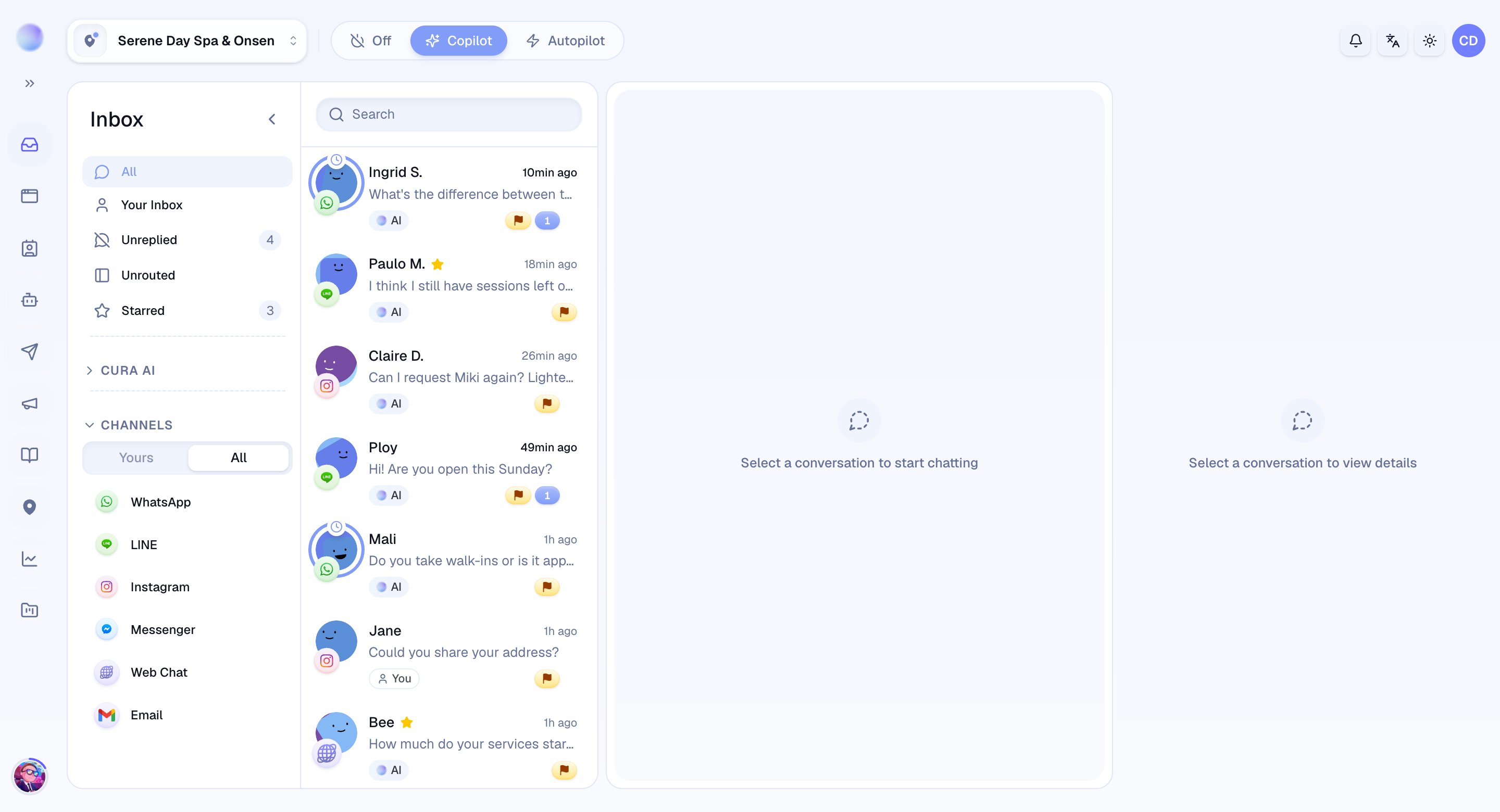
Filters keep you focused
You rarely want every conversation at once. Filters narrow the list to what matters right now:- All — every open conversation.
- Your Inbox — conversations you’re handling or own.
- Unreplied — conversations waiting on a reply.
- Starred — conversations you’ve flagged to come back to.
- Unrouted — open conversations not yet assigned to a branch (visible to admins and managers).
See who’s in control: AI or human
Every conversation is handled by either your AI or a person — and the Inbox always shows which. When the AI is replying, you’ll see it clearly marked. The moment you want to step in, you take over and the AI steps aside; hand it back when you’re done and the AI resumes.Taking over is instant and per-conversation. It never turns the AI off for your other conversations or channels.
The conversation view
Open any conversation to see the full message history, the customer’s details, and everything you need to respond:- Reply in the customer’s channel directly from Cura.
- Saved replies — insert reusable answers in a click.
- Attachments — send images, files, and documents.
- Private notes — leave context for teammates that the customer never sees.
Organize as you go
Keep the Inbox manageable as volume grows:- Labels — tag conversations by topic, campaign, or anything you like.
- Priority — mark conversations from low to urgent.
- Assign — hand a conversation to a specific teammate.
- Resolve & snooze — close out finished conversations, or snooze one to set it aside. Reopen anytime.