

Before you begin
- Open the Inbox.
- Look for the Search box above the conversation list.
1
Open search
Click the Search box at the top of the conversation list.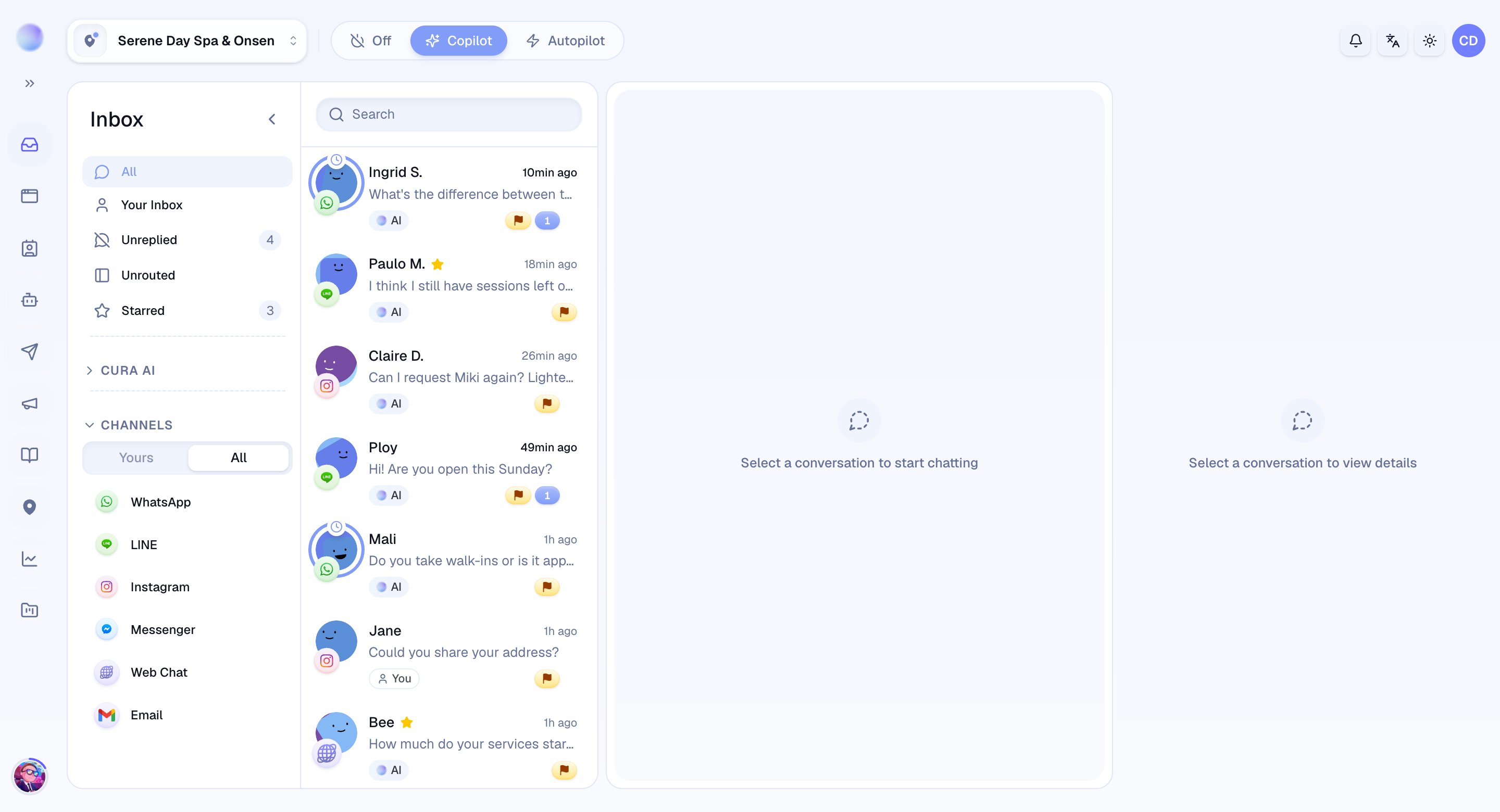
2
Type what you're looking for
- Type a name or keyword and the list narrows to matching conversations as you go.
- Search filters the conversations in your current view, so the match you want surfaces without scrolling.
You’ve found your conversation — click it to open the full history and pick up where you left off.
3
Combine search with filters and status
Search is even faster when you pair it with the tools you already use:
- Filters: narrow to Your Inbox, Unreplied, or Starred first, then search within that slice.
- Status: switch between Open, Snoozed, and Resolved to search the right set. A conversation you closed last month lives under Resolved — switch there before searching for it.
Troubleshooting
- No results? Try a shorter or different keyword, and confirm you’re looking in the right status (Open vs Resolved).
- Too many results? Apply a filter first — for example, Your Inbox — to shrink the haystack before you search.