

Before you begin
- You’ll need Admin or Manager access to the workspace you’re editing.
- Make sure you’re in the right workspace — FAQs are per-workspace, so a multi-location business adds them separately for each one.
- Have a short list of the questions you get asked over and over, with the answer you’d give.
Documents in your Knowledge Base are great for background, but FAQs are exact. When a customer’s question matches an FAQ, the AI uses your wording — so the answer is consistent every time.
1
Open FAQs
- Open the workspace you’re editing and go to its FAQs tab.
- Confirm you’re in the correct workspace.
2
Add a question and answer
- Question: write it the way a customer would ask it, e.g. “Do you take walk-ins?”
- Answer: write the exact reply you want customers to receive. Keep it clear and complete.
- Link (optional): add a URL if there’s a page that helps, such as a booking link or directions.
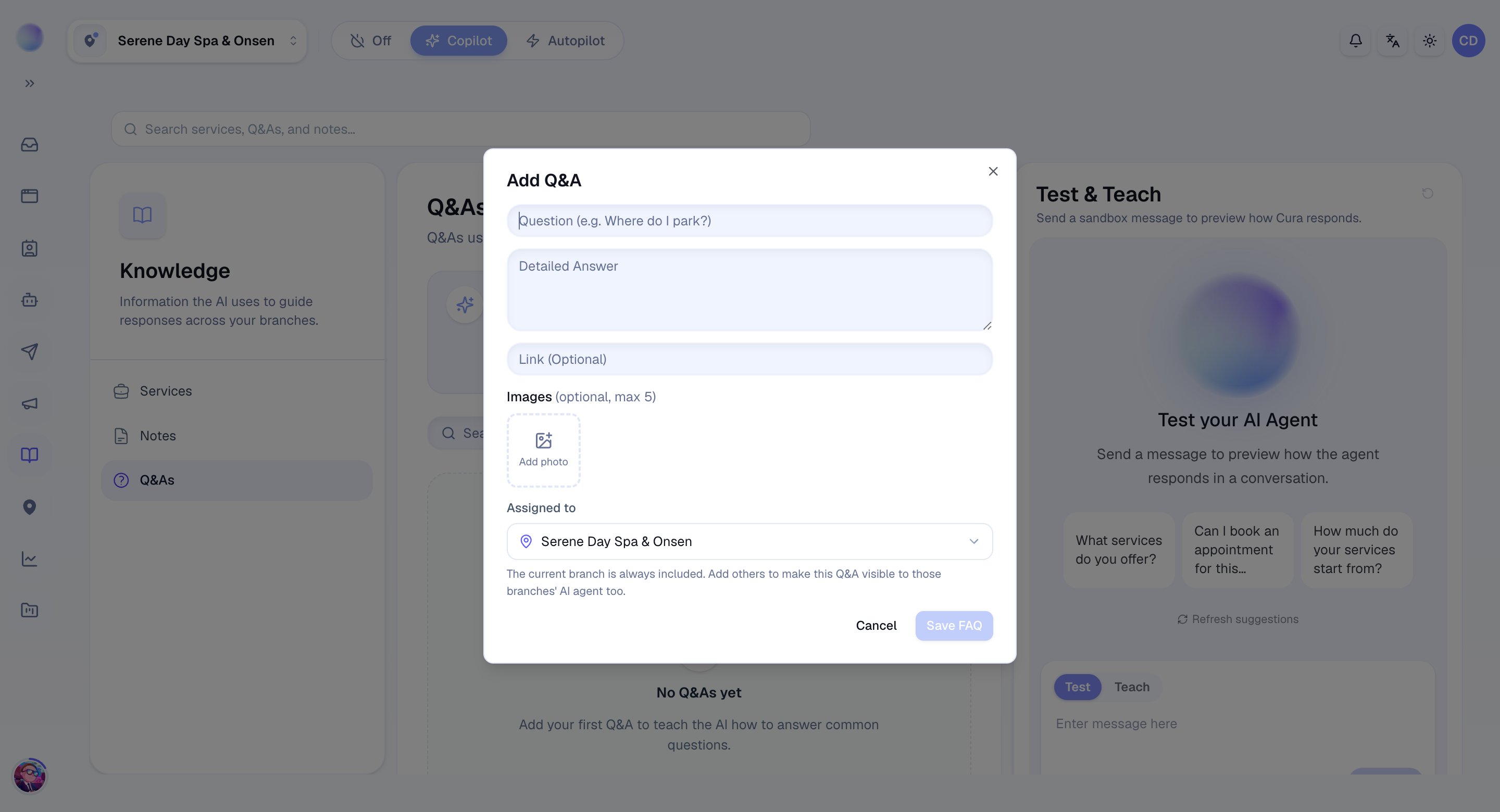
Your FAQ is saved and the AI will use it in matching conversations automatically.
3
Add your top questions
Work through your most common questions. Good candidates include:
- Opening hours and which days you’re closed.
- Location, parking, and how to find you.
- Deposit and cancellation policy.
- “Do you offer ___?” for treatments people often ask about.
- Payment methods you accept.
4
Turn FAQs on or off
- Each FAQ can be active or inactive. Switch one off to stop the AI using it — without deleting it — then switch it back on later.
Troubleshooting
- The AI isn’t using my FAQ. Check the FAQ is active and saved in the same workspace as the conversation. Make sure the question is phrased the way customers actually ask it.
- The answer feels outdated. FAQs don’t update themselves — edit the answer whenever a policy or price changes.