

Before you begin
- You’ll need Admin or Manager access.
- Rules apply to your whole account — your AI uses the same tone and length across every workspace and channel. (Facts like prices and FAQs are still set per workspace.)
1
Open Rules
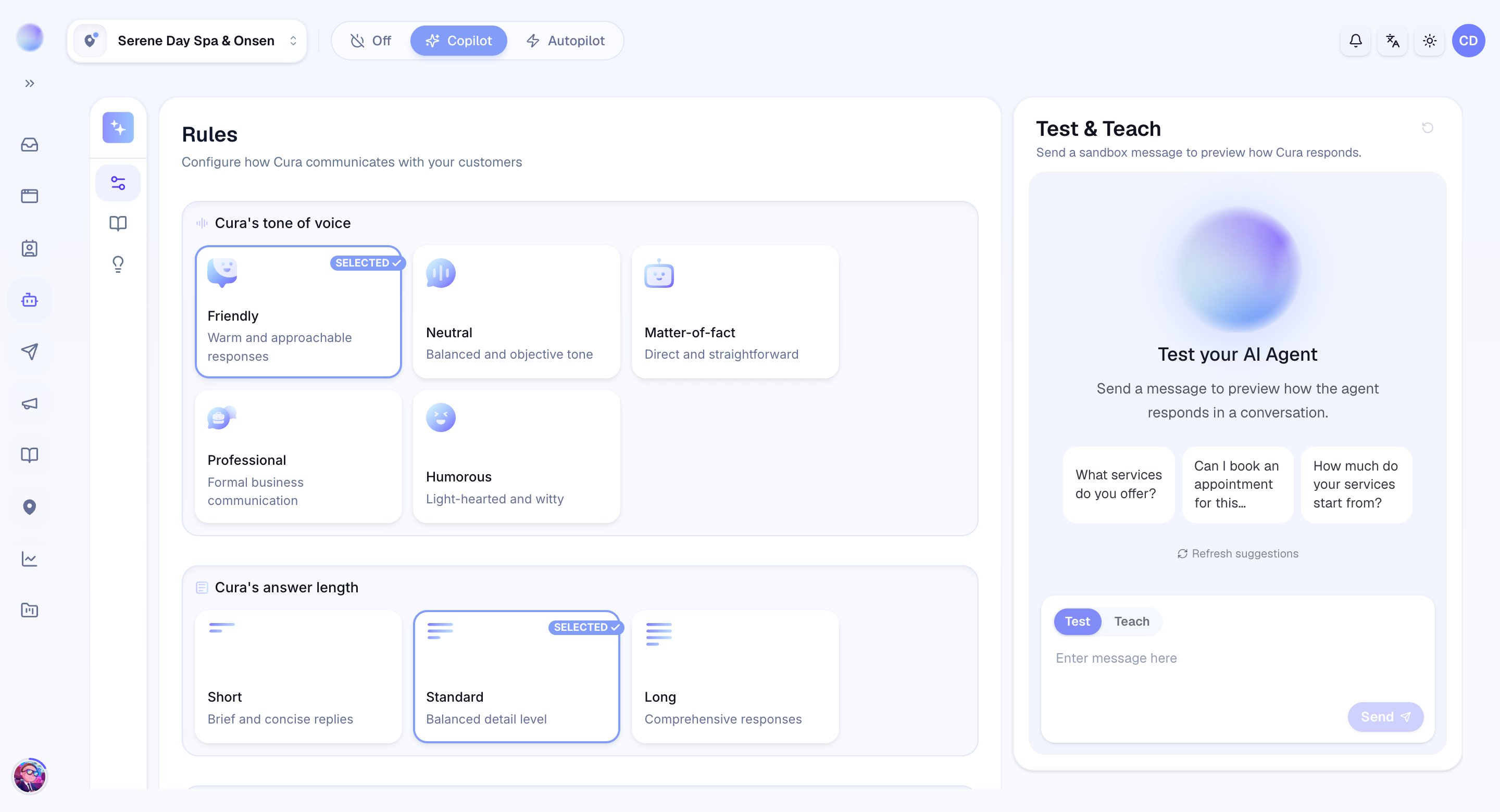
- Go to Cura AI and open the Rules tab.
2
Choose a tone
Pick the personality that fits your business. You have five tones:
- Friendly — warm and approachable responses. Great for salons and lifestyle clinics.
- Neutral — a balanced, objective tone.
- Matter-of-fact — direct and straightforward, with no extra warmth.
- Professional — formal business communication. A good fit for medical and aesthetic clinics.
- Humorous — light-hearted and witty.
3
Choose a length
Decide how much the AI says:
- Short — very concise replies, no fluff. Best for fast-moving chats.
- Standard — balanced replies, neither too short nor too long.
- Long — comprehensive, detailed answers when customers expect thoroughness.
Your AI now speaks in your chosen voice across every channel.
4
Save and test
- Save your changes.
- Send a test message to a connected channel to hear the new tone and length in action, then adjust if needed.
Rules shape style, not facts. What the AI says comes from your Knowledge Base, FAQs, and Services — Rules just control how it’s said.
Troubleshooting
- The tone didn’t change. Confirm you saved. Rules apply account-wide, so the change affects every workspace and channel at once.
- Replies are too long or too short. Adjust the length setting; if a specific situation needs different handling, add an Advanced AI instruction.