

Before you begin
- You’ll need Admin or Manager access.
- Set your tone and length in Rules first — instructions build on top of them.
- Instructions apply to your whole account — the same guidance applies across every workspace and channel. (Facts like prices and FAQs are still set per workspace.)
1
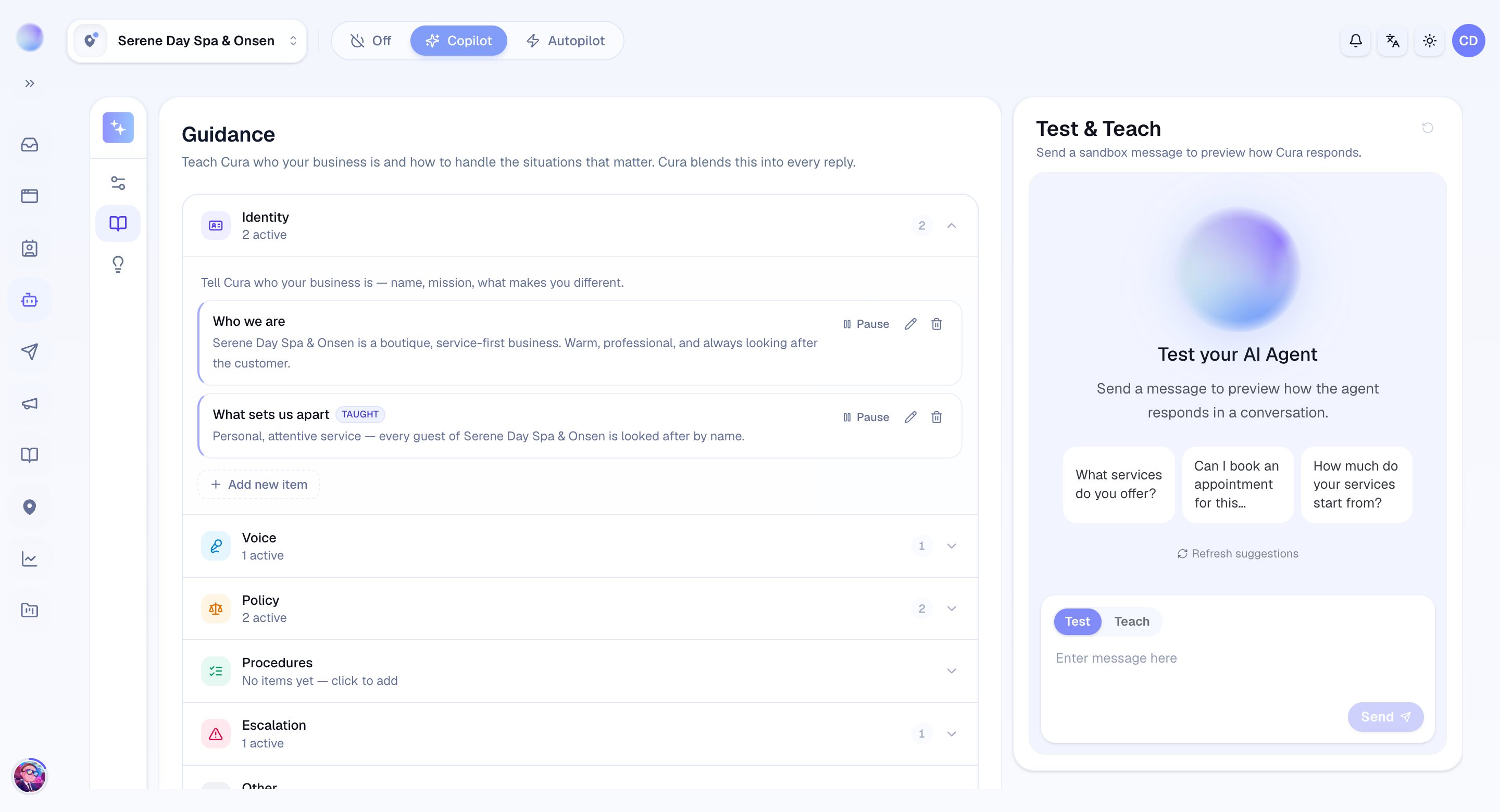
Open System Instructions
- Go to Cura AI and open the System Instructions tab.
2
Set your communication style
The Communication style field is where you describe how the AI should talk, beyond tone and length.
- Use plain instructions, e.g. “Always greet customers warmly and use their first name. Use emojis sparingly. Avoid medical jargon.”
- Keep it specific and short — a few clear sentences work better than a long essay.
3
Set escalation & handoff guidance
The Escalation & handoff field tells the AI when to step back and bring in a human.
- Spell out the moments that should always go to a person, e.g. “Hand off if a customer is upset, asks about surgical complications, or requests a refund.”
- The AI also escalates automatically when a customer asks for a human or when it can’t help — this field adds your extra triggers on top.
4
Add any other guidance
The Other field is for anything that doesn’t fit the first two.
- Business-specific rules, e.g. “We don’t quote prices for laser packages over the phone — invite the customer to book a consultation instead.”
- Things to avoid, promotions to mention, or how to handle particular requests.
Your AI now follows your custom guidance in every conversation, across all workspaces.
5
Save and test
- Save your changes, then send a test message to a connected channel to confirm the AI behaves as you intended.
Instructions shape behaviour, not facts. Prices, policies, and treatment details still come from your Services, FAQs, and Knowledge Base.
Troubleshooting
- The AI isn’t following an instruction. Make it more specific and concrete. If it conflicts with your Knowledge Base or Services, the facts there still win.
- The AI escalates too often (or too rarely). Tighten the wording in the Escalation & handoff field to describe exactly when to hand off.