

Before you begin
- You need to be an admin to set the account-level contact, or an admin or workspace manager to set a workspace’s contact.
- A workspace contact must be a member of that workspace, or an admin on the account.
- The account-level contact must be an admin on the account — only admins can be the organization-wide fallback.
- Decide whether you want one contact for the whole account, a per-workspace contact, or both.
Cura uses two levels of escalation contact:
- Workspace-level — the contact for one specific location, which takes precedence there.
- Account-level — a fallback for the whole organization, used when a workspace has no contact of its own.
1
Choose the level
Decide where this contact applies.
- Account-level: a single point of contact across the whole organization — useful if one person oversees everything.
- Workspace-level: a contact for one location. Set this when each branch has its own person who should handle escalations there.
2
Set a workspace escalation contact
For a per-location contact: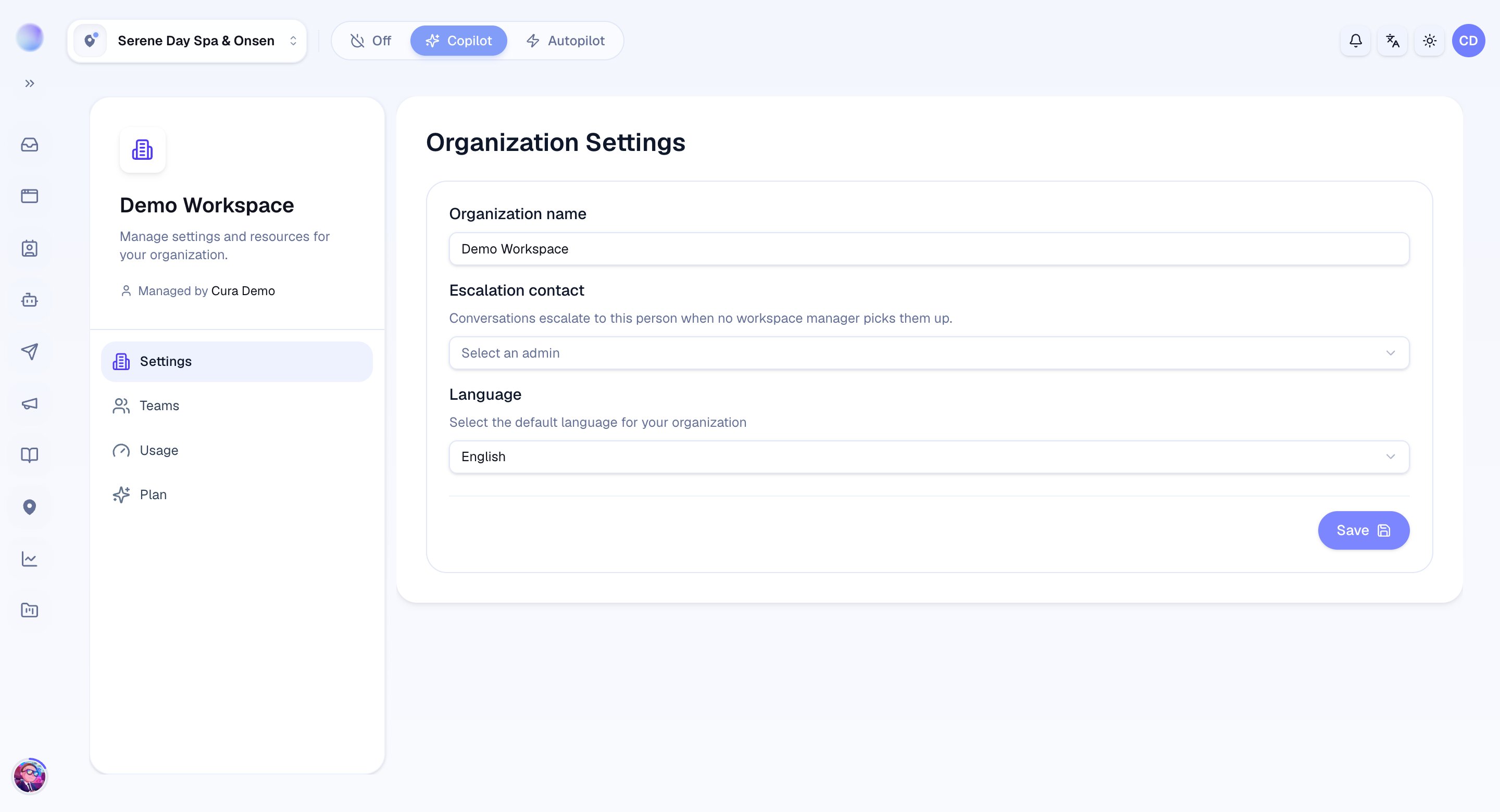
- Open the workspace you want to set up.
- Go to its settings and find the escalation contact option.
- Choose the person from the workspace’s members (or an account admin).
- Save. Escalated conversations in that workspace now point to them.
That workspace has an escalation contact.
3
Set an account escalation contact
For an organization-wide fallback:
- Open your organization settings.
- Choose the account escalation contact. This list only shows account admins — the organization-wide fallback must be an admin.
- Save.
Your account has a fallback escalation contact.
A workspace contact takes precedence in that workspace. The account-level contact acts as the fallback where no workspace contact is set.
How Cura chooses who to escalate to
When the AI escalates a conversation, Cura works down a fallback chain and assigns the first person it finds:- The channel owner — whoever owns the channel the message came in on.
- The workspace escalation contact — or, if none is set, the first manager in that workspace.
- The account escalation contact — the organization-wide fallback (an admin).
- The first organization admin — so an escalation never ends up unowned.
Because of this chain, even a workspace with no contact set will still route escalations — to its first manager, then up to the account level. Setting an explicit contact just makes the destination predictable.
Troubleshooting
- The person I want isn’t in the list. For a workspace contact, Cura only lets you pick someone who is a member of that workspace or an account admin — add them to the workspace first (see Inviting team members). For the account-level contact, only admins appear.
- Escalated conversations aren’t reaching anyone. Confirm a contact is set, and check your AI’s escalation rules so it knows when to escalate.